Notification configuration
Configure fine-grained notification routing with CRDs
Overview
Plural can deliver notifications to the most common chat solutions, particularly:
- Slack
- Teams
Support for other channels like PagerDuty and OpsGenie is on our roadmap. You can also configure your own notification routing rule sets, directing notifications for specific pipelines, clusters, etc. to different channels as needed.
The system has two main constructs: a notification sink and a router. Sinks contain all the details needed to connect to an external notification system and serve as a pointer to it in routers. Routers link to sinks and can also configure whitelists for the events the router subscribes to, alongside filter rules to only deliver for specific subsets of the system (e.g. only deliver service.update events for a specific cluster).
Configure Notification Sinks
The simplest way to configure a notification sink is via the UI. Go to /notifications/sinks in your instance of the Plural Console and click the Create Sink button in the top right. You should see a wizard like the one below:
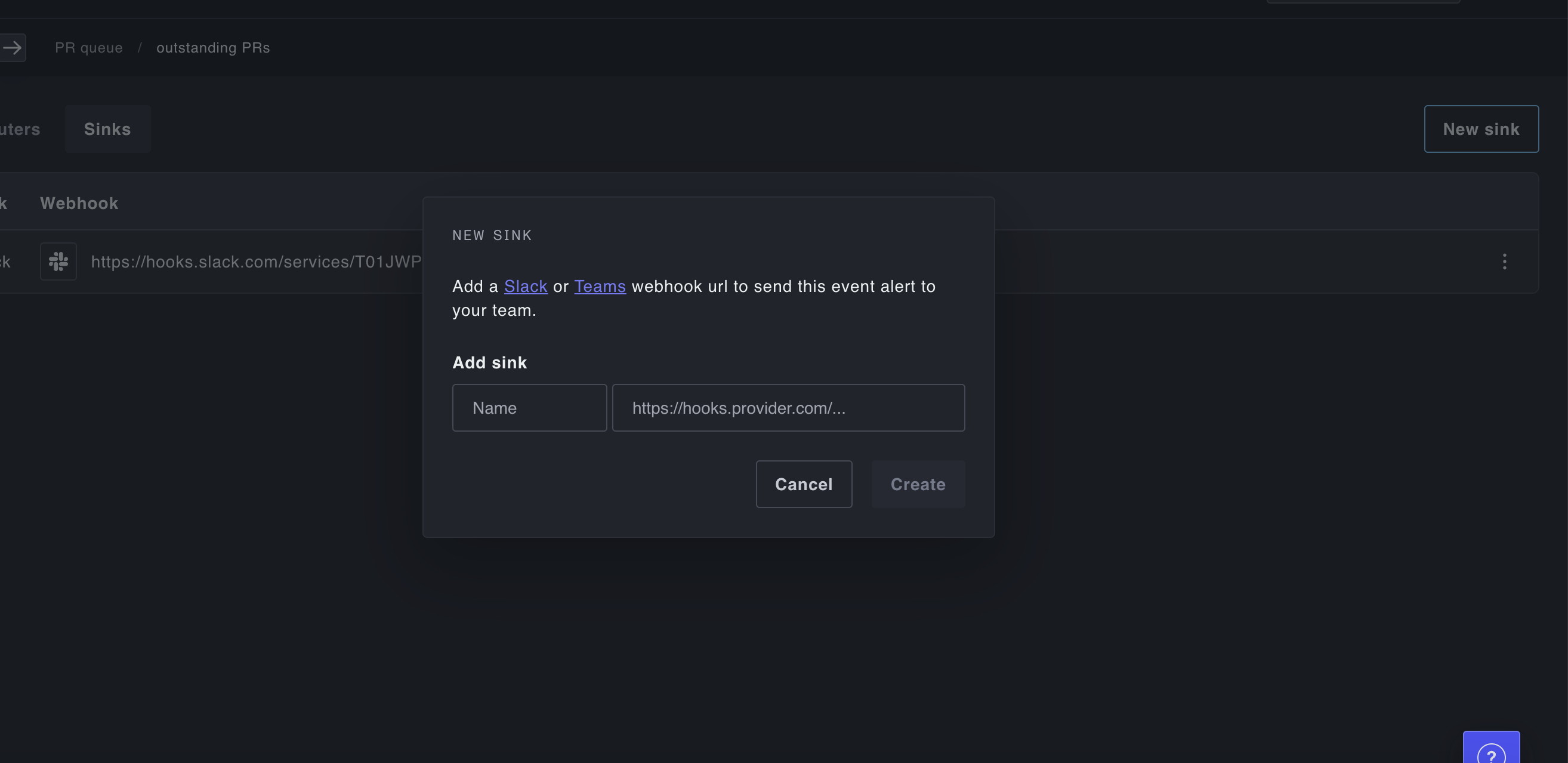
Enter an incoming webhook URL for Slack or Microsoft Teams and a name for the sink, and you should be set to start configuring notifications to that system. If you need an icon for Plural when creating the Slack/Teams bot that owns the incoming webhook, feel free to use any of our own icons, or download this one: